START

lundi 9 mai 2016

Best CCcam server FULL HD SD - BUY CCCAM C-Lines - 24H Free C-lines TEST

Best CCcam server FULL HD SD  - BUY CCCAM C-Lines - 24H Free C-lines TEST 


We offers you one of the best CCcam service in EUROPE, Fast cline server. All the available providers from 7.0°W to 28.2°E without any freezing or glitching.
We offer support  email 
You can literally start watching TV within minutes of payment. We offer you config files generated for CCcam with INSTANT DELIVERY, you don't have to wait hours to get your files.
Our support department is available 24/7, helping you solve any problems involving our service. Simply select the cardsharing PLAN you need then we will send you all of the informations you will need, cccam.cfg and cccam.prio within 24 hours.If you have any problems or questions you can contact us and we will happily assist you in making sure it all works correctly.


Why US?


we have more than 6 years experience in the field


Please make sure to use a valid email address. Do not forget to check your spam box.


mercredi 30 décembre 2015

How to add CCcam and clines in Spark

Amiko Alien SHD 8900 HD – How to add CCcam and clines in Spark


Here we shall install the Emu’s including CCcam to Spark.
First thing to do is delete all your installed Emu plugins.
Click 
Menu -> Plugin and click the Green button to delete each one.
On new firmware you will also need to enter the Password: 0 0 0 0
Now you will need to download emu_plugin.zip the emu_plugin file
Once you have downloaded and unzipped the emu_plugin.zip
Place the folder ‘plugin’ onto a USB stick [Formatted in FAT32] and insert the USB stick into the USB port on the rear of the receiver.
You will then see a popup window, click Yes to install
Now open DCC,
When setting up the Configuration use the following logon data:

Username:
 root
Password: root

Once a connection has been established, click FTP
Now click var -> /root/plugin/var
Now click on Keys
Now select on your CCcam.cfg file and click on the transfer button
When asked to overwrite click Yes
You can check the CCcam.cfg file is correct, by clicking on it and then click View
If you need to edit the file you can do so by clicking the Edit option.
Once your happy the CCcam.cfg file is okay, you can close DCC.
Now click Menu -> Plugin
Select CCcam214 and click the Enter button, this will start the emu.
You will see it has been started as the Red Off icon will change to Green.
Now you have started the CCcam Emu, you can exit.
Now let us check all is working correctly,
Select an encrypted channel you know your cline will open,
for this example we shall select Calle 13
Once selected click Enter to view the channel.
If you followed the above correctly, you should now get access to the channel

mardi 22 décembre 2015

Vu+ ZERO 1 X DVB-S2 Tuner (Mpeg4 HD)

Vu+ ZERO 1 X DVB-S2 Tuner Oui (Mpeg4 HD)


There was one goal in developing ZERO from the beginning. Let's make something more affordable to please more Vu+ fans. As the name stands for, suggests, ZERO is a remarkably competitive model pricewise while maintaining the performance and philosophy of Vu+ products. This is why ZERO is the most affordable DVB-S2 HD Zapper of Vu+ ever. Powerful Features It was certainly a challenging task to increase the affordability while not losing the performance that Vu+ pursues. So, ZERO comes with a 2000 DMIPS CPU powerful enough to support all demanding multimedia functions. Despite of its compact and slim design, all important connectors are nicely equipped as below: Slim & Elegant Design ZERO characterizes the design philosophy of Vu+. Its elegant external design is stunningly standing out among those monotonous and tasteless set top boxes in the market. ZERO's beauty deserves to be placed right next to your TV. ZERO comes in black and white. An Ideal Solution as a 2nd Vu+ Set Top Box ZERO is a smart choice for those using HDD integrated Vu+ models like SOLO2 and DUO2. Let's assume you use ZERO in your room. Once connected in your home network, you can play multimedia contents stored in DUO2 or SOLO2 in the living room. ZERO is definitely the most ideal solution for your second set top box.

Powerful FeaturesIt was certainly a challenging task to increase the affordability while not losing the performance that Vu+ pursues. So, ZERO comes with a 2000 DMIPS CPU powerful enough to support all demanding multimedia functions. Despite of its compact and slim design, all important connectors are nicely equipped as belowSlim & Elegant DesignZERO characterizes the design philosophy of Vu+. Its elegant external design is stunningly standing out among those monotonous and tasteless set top boxes in the market. ZERO’s beauty deserves to be placed right next to your TV. ZERO comes in black and white.ORDER HERE 

Samsung UN55HU7250 Curved 55-Inch 4K Ultra HD 120Hz Smart LED TV


  • Refresh Rate: 120Hz (Native); Clear Motion Rate 960 (Effective)
  • Backlight: LED (Edge-Lit w/Local Dimming)
  • Smart Functionality: Yes - Voice Control
  • Dimensions (W x H x D): TV without stand: 48.5'' x 28.1" x 4.4'', TV with stand: 48.5'' x 29.9'' x 11.6''
  • Inputs: 4 HDMI, 3 USB, 1 Component In, 1 Composite In
  • Accessories Included: Smart Remote Control

Product Description


PICTURE QUALITY


  • Immersive Curved UHD Experience
  • Ultra High Definition 4K (3840 x 2160)
  • Clear Motion Rate 960
  • UHD Upscaling
  • UHD Dimming
  • SMART TV


  • Quad Core Processor
  • Smart Hub
  • ull Web Browser
  • Quad Screen
  • Instant On
  • SMART INTERACTION


  • Voice Interaction
  • Motion Control with Optional Camera Accessory
  • SMART CONNECTIVITY


  • Screen Mirroring
  • Smart View 2.0
  • S Recommendation

  • ORDER HERE 

    mercredi 1 juillet 2015

    Canalsat France Passage au tout HD

    Bonjour à tous,

    Le nouveau plan de service aura lieu le 1er Juillet.
    Celui-ci concerne essentiellement les abonnés Satellite (passage au tout HD + mise à jour des chaînes) et ADSL (uniquement mise à jour des chaînes).
    Les principaux changements de ce nouveau Plan de Service sont les suivants :

    Arrêts et déréférencements
    -Déréférencement de M6 MUSIC PLAYER (183, 291) sur le SAT + SFR/FREE
    -Arrêt des chaînes JIMMY CUISINE+ et SPORT+ (le 26 juin)
    -Arrêt des chaînes CINE FX et CINE POLAR au 30 juin

    Nouvelle chaîne
    -Référencement de Deutsche Welle, chaîne allemande en clair sur le canal 426 (via le SAT uniquement)

    Passage au tout HD

    samedi 27 juin 2015

    How to Create CCcam.cfg file

    How to Create CCcam.cfg file
    first step:
    You can download an already created CCcam.cfg file, open it using a notepad and place you clines in it.

    jeudi 25 juin 2015

    CCCAM SERVER FREE TEST DAILY

     .


    WHY CHOOSE US
    We offer The most developed CCcam servers with all the necessary assistance to make it work 
    we use antifreeze  technology to offer you the best watching service to you home
    &
    We Offer Free test  server for all visitors to our website 
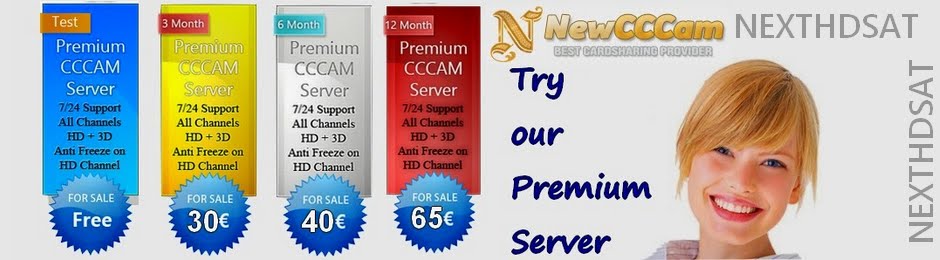
    and  you can also use the website to buy  paid cccam account for the period that you wish with the possibility of canceling your subscription at any time you want

    Here the price  :

    3Months : 30 Euro
    6Months : 40 Euro
    12Months : 65 Euro
    Lifetime subscription : 120 Euro   

    Skype : Dream _meknes
               Email : Nexthdsat@gmail.com
           website : www.Newcccam.com 

    CCcam setup for Openbox and Skybox

    ATTACH BOX TO POWER CABLE, SATELLITE CABLE, HDMI CABLE AND NETWORK CABLE


    CLINE SETUP

    1: Go into the main menu
    2: Select Network, enable your network and set the IP address to DHCP. Go back to network.
    3: Select "CCcam Client Setup" If you can not see CCcam setup in the menu jump to number 9
    4: If you have a cccam.cfg on your usb, we provide the CCcam.cfg file, ask for the full configured file from us to get all of our channels. Copy the CCcam.cfg file into the root folder from your USB stick. Do not copy the file in a specific folder.Select 'Update files by usb' if not, jump to number 10
    5: On new window, highlight 'CCcam.cfg', press green button on remote (ADD). This will place a tick by it, the press yellow button on remote (READ)
    6: Once finished, select 'Manage Config Files' and on new window select cccam.cfg again
    7: A new page comes up with your cline on it, press green button on remote to make it active (tick should appear by it) Exit out of all menus to tv and select a pay channel.. it should clear, if not go back into menu, select Network, then 'Network Setup', and turn DHCP 'off' by using arrow keys and then hitting apply.
    8: if channel still doesnt clear, reboot box and router by unplugging both from power and plugging back in (router first)
    9: if you cant see this option go to network and press 0000 or 6666 or 8888 or 2778 this should bring up hiden menu.

    10: for those who didnt create a cccam.cfg on their usb, you can add it manually..

    a] instead of update by usb on ccccam client setup, go directly to Manage Config Files and select CCcam.cfg from new window
    b] Press Blue button on remote
    c] your cline will look something like this>>> C: example.cline.org 12000 user pass
    d] ON add cline window, leave Protocol as CCcam
    e] Host: here you would enter example.cline.org portion of your cline using remote number buttons like you was sending a text
    f] Port: here you put exemple :12000
    g] User, write 'user'  exemple
    f: Password, write 'pass' exemple
    g] Press ok and go up to instruction number 7 OF CLINE SETUP

    jeudi 31 juillet 2014

    HOW TO SET UP SKYBOX f3

    This is the set up for the f3 skybox, ease of set up about 5 - 10 simple when its all explained just like everything so i have done a little tutorial for you all to help people unsure on what to do, the box is HD upgradable via USB device.

    First off get yourself a blank usb device which must be formatted to fat32 by plugging into your pc, most of these boxes come with the image preloaded so all you will need to add is your favorite see lion, which is simple you put it on your usb and stick it in the front of the box.

    The pictures below will show you the rest of the story, if you dont have a hdmi tv you can use the composit cable and the scart adapter as shown below.

    [​IMG]
    This is the box the f3 comes in nice and compact.
    [​IMG]
    This is what you get in the box remote Hdmi cable power lead and book
    [​IMG]
    If you dont have a HDMI fitting on your TV you will need these composite to scart.
    [​IMG]
    Front of box
    [​IMG]
    Front of box showing USB plug in behind the pull down door
    [​IMG]
    Back of box as you see it does not have a scart connection so you will need the connection above
    [​IMG]
    Installation screen for doing your scanning, you press ok and then scroll down to what you want and press ok
    [​IMG]
    In here you have you tv settings same again press ok then scroll down to what you want and press ok
    [​IMG]
    Here you can edit your channels with the remote or use the channel editor available
    [​IMG]
    This is where you get into your cam*, but as you can see it does not show up reason been you have not entered the number
    [​IMG]
    As you can now see once you see this screen all you do to get it is press 6666 on your remote this brings up the hidden menu
    [​IMG]
    Once you press ok then click on cmds you will get this screen up click on the cca* or what you are using then you will get next screen
    [​IMG]
    Here you have your usb in and you can update your sea lions here you can also manually do it by scrolling to the next option not highlighted

    As you can see its not that hard to get this box up and running just takes the time to read and do it step by step, after that reboot your router and you should be viewing your channels any questions just put a post up and i will try answer it for you if i can.

    Picture is crystal clear nice neat little box shiny black in colour so will go with you black tv should you have one, channel change is instant,can play video via your usb you can record direct to usb, only let down the channel you are recording has to be watched or switched on you can have utube it has a button called M/P which brings up a micro screen from which you can select what you need overall box is good value for money i would give it 9/10 only let down the remote is a bit flimsy and no real feel off it

    mercredi 15 janvier 2014

    طريقة ربط الكارت بالريسيفيرات المعتمدة لمشاهدة قنوات HD الاضافية


    السلام عليكم

    هذه هي القنوات التي تحتاج الى الربط الكارت مع الريسيفيرات المعتمدة

     هيوماكس فري و هيوماكس 3000

    رسميا باقات Bein Sport التيرسميا باقات Bein Sport التيرسميا باقات Bein Sport التيرسميا باقات Bein Sport التيرسميا باقات Bein Sport التيرسميا باقات Bein Sport التيرسميا باقات Bein Sport التيرسميا باقات Bein Sport التي

    القنوات العربية
    رسميا باقات Bein Sport التيرسميا باقات Bein Sport التيرسميا باقات Bein Sport التيرسميا باقات Bein Sport التي

    بدون ربط يمكن مشاهدة محتواها sd


    اما القنوات
    رسميا باقات Bein Sport التيرسميا باقات Bein Sport التيرسميا باقات Bein Sport التيرسميا باقات Bein Sport التي
    لا يمكن مشاهدة محتواها الا بالربط
    بالملخص يعني ان القنوات الناطقة بالفرنسية والاسبانية هي التي ستتشفر

    رسميا باقات Bein Sport التي هي الوحيدة التي ستتشفر من القنوات العربية

    واصلا الاحداث المهمة كالابطال والانجليزي على

    hd1 , hd11 , sd1 ,sd11

    -------

    الان نشرح كيفية الربط


    ندخل الى هذا الرابط


    ونتبع التعليمات خطوة بخطوة


    بعد الضغط على next

    الان ستخرج لنا صفحة استمارة معلومات فيها تملا بياناتك الشخصية

    كمثال

    الاسم والباسوورد والبريد الالكتروني وتاكيد البريد الالكتروني و ...

    كل البيانات مطلوبة وتملا بخاناتها

     بعد الانتهاء تضغط next

    الان ستخرج لك رسالة بانك سجلت بالموقع وتم ارسال اليكرسالة التفعيل بالبريد الالكتروني

    اذهب الى بريدك الالكتروني الذي سجلت به في البياناتوستجد رسالة من bein sports فيه رابط التفعيل

    قم بالضغط على الرابط المطلوب الذي بالرسالة

    الان ستخرج رسالة بانك تم تسجيلك وتفعيلك بالموقع

    وسيطلب منك الذهاب الى هذه الصفحة لادخال رقم بطاقتك والباسوورد


    تظهر لك صفحة كما بالصورة

    1- رقم البطاقة الذكية
    2- الباسوورد
    3- تظهر لك حروف مختلفة ادخلها بالمستطيل
    4- اضغط على التاكيد الدخول


    الان ستدخل الى صفحتك الخاصة ببطاقتك وفيها معلومات البطاقة

    الذي يهمنا تسجيل ريسفرك المعتمد كما قلنا

    هيوماكس فري وهيوماكس 3000

    والذي هو كما بالصورة بالمستطيل الاحمر


    lundi 6 janvier 2014

    تم كسر نظام التزاوج وبداية بقنواتmbc hd وهيا شغالة الان على السرفر cccam

    • السلام عليكم

    • تم كسر نظام التزاوج وبداية بقنواتmbc hd وهيا شغالة الان على السرفر cccam

    • وكذلك تم كسر باقات عالمية مثلdigital hd  و max tv الاوكرانية

    mardi 31 décembre 2013

    قنوات الجزيرة الرياضية الجديدة بعد التغيير إلى beIN SPORTS مع الترددات


    السادة / موزعو قنوات الجزيرة الرياضية                      المحترمين
     
    تحية طيبة وبعد ،،،
     
    يرجي التكرم بالعلم انه إعتباراً من 01-01-2014 سيكون ترتيب القنوات للباقات الحالية )الباقة الأساسية و الباقة الرياضية الكاملة) كالتالي :
     
    الباقة الأساسية:
     
    يستمرمشتركي الباقة الأساسية بمشاهدة نفس عدد القنوات والمحتوي بالأضافة لبعض القنوات الجديدة (والتي ستكون متاحة لفترة محدودة).
     
    قنوات  beIN SPORTSبعد يوم 01-01-2014
    القنوات الجديدة والمتاحة لفترة محدودة
    beIN SPORTS 2
    beIN SPORTS 6 HD
    beIN SPORTS 3
    beIN SPORTS 7 HD
    beIN SPORTS 4
    beIN SPORTS 8 HD
    beIN SPORTS 5
    beIN SPORTS 9 HD
    beIN SPORTS 6
    beIN SPORTS 10 HD
    beIN SPORTS 7
    beIN SPORTS 12 HD EN
    beIN SPORTS 8
    beIN SPORTS 13 HD FR
    beIN SPORTS 12 EN
    beIN SPORTS 14 HD FR
     
    beIN SPORTS 15 HD ES
     
     
    الباقة الرياضية الكاملة:
     
    يستمرمشتركي الباقة الرياضية الكاملة بمشاهدة نفس عدد القنوات والمحتوي بالأضافة لبعض القنوات الجديدة (والتي ستكون متاحة لفترة محدودة).
     
     
    قنوات  beIN SPORTSمن يوم 01-01-2014
    القنوات الجديدة والمتاحة لفترة محدودة
    beIN SPORTS 1 HD
    beIN SPORTS 6 HD
    beIN SPORTS 2 HD
    beIN SPORTS 7 HD
    beIN SPORTS 3 HD
    beIN SPORTS 8 HD
    beIN SPORTS 4 HD
    beIN SPORTS 9 HD
    beIN SPORTS 5 HD
    beIN SPORTS 10 HD
    beIN SPORTS 11 HD EN
    beIN SPORTS 12 HD EN
    beIN SPORTS 1
    beIN SPORTS 13 HD FR
    beIN SPORTS 2
    beIN SPORTS 14 HD FR
    beIN SPORTS 3
    beIN SPORTS 15 HD ES
    beIN SPORTS 4
     
    beIN SPORTS 5
     
    beIN SPORTS 6
     
    beIN SPORTS 7
     
    beIN SPORTS 8
     
    beIN SPORTS 11 EN
     
    beIN SPORTS 12 EN
    Fox SPORTS
     
    NBA TV
     
     
    القنوات الغير مشفرة
     
    قنوات  beIN SPORTSالغير مشفرة من يوم 01-01-2014
    beIN SPORTS
    beIN SPORTS News
     
     
    Dear Al Jazeera Sport Distributors,
     
    Please be informed that starting 1st of Jan 2014 our channels and packages will be as follow:
     
    Basic Package
     
    (Basic Package subscribers will continue to watch the same number of channels and content including additional new channels for a limited Period)
     
    beIN SPORTS Channels starting 1st of Jan 2014
    Channels for a limited Period
    beIN SPORTS 2
    beIN SPORTS 6 HD
    beIN SPORTS 3
    beIN SPORTS 7 HD
    beIN SPORTS 4
    beIN SPORTS 8 HD
    beIN SPORTS 5
    beIN SPORTS 9 HD
    beIN SPORTS 6
    beIN SPORTS 10 HD
    beIN SPORTS 7
    beIN SPORTS 12 HD EN
    beIN SPORTS 8
    beIN SPORTS 13 HD FR
    beIN SPORTS 12 EN
    beIN SPORTS 14 HD FR
     
    beIN SPORTS 15 HD ES
     
    Full SPORTS package:
     
    (Full Sport Package subscribers will watch all beIN channels including additional new channels for a limited Period)
     
    beIN SPORTS Channels starting 1st of Jan 2014
    Channels for a limited Period
    beIN SPORTS 1 HD
    beIN SPORTS 6 HD
    beIN SPORTS 2 HD
    beIN SPORTS 7 HD
    beIN SPORTS 3 HD
    beIN SPORTS 8 HD
    beIN SPORTS 4 HD
    beIN SPORTS 9 HD
    beIN SPORTS 5 HD
    beIN SPORTS 10 HD
    beIN SPORTS 6 HD
    beIN SPORTS 12 HD EN
    beIN SPORTS 11 HD EN
    beIN SPORTS 13 HD FR
    beIN SPORTS 1
    beIN SPORTS 14 HD FR
    beIN SPORTS 2
    beIN SPORTS 15 HD ES
    beIN SPORTS 3
     
    beIN SPORTS 4
     
    beIN SPORTS 5
     
    beIN SPORTS 6
     
    beIN SPORTS 7
     
    beIN SPORTS 8
     
    beIN SPORTS 12 EN
     
    beIN SPORTS 11 EN
    Fox SPORTS
     
    NBA TV
     
     
    Free-to-Air Channels:
     
    FTA Channels starting 1st of Jan 2014
    beIN SPORTS
    beIN SPORTS News
     
    علما ان الاجهزة سوف تكون متوفره من نهاية شهر يناير  سنه 2014  
    تحياتي 
    عبدالمطلب ابو شيلان
     

    FYI
     
    Strating 1st of January 2014 beIN Channels Distribution over Satellites;
     
    Please find below beIN Sports Distribution over Satellites starting from 1st of January 2014.
     
    SD
    Channels Name
    beIN Sports 1 , beIN Sports 2 , beIN Sports 3 , beIN Sports 4 , beIN Sports 5 , beIN Sports NEWS
    Comments
    Satellite Name
    Nilesat 7° W
    Arab Sat (Badr6)
    Frequency
    12284 MHz
    12379
    Modified with Additional channel
    Polarization
    Vertical (V)
    Horizontal (H)
    Symbol Rate
    27500
    27500
    FEC
    3/4
    3/4
     
    Channels Name
    beIN Sports 6 , beIN Sports 7 , beIN Sports 8 , beIN Sports 11 EN ,beIN Sports 12 EN , NBA , FOX
    Comments
    Satellite Name
    Nilesat 7° W
    Arab Sat (Badr6) , 26.0°E
    No change
    Frequency
    11449 MHz
    12341 MHz
    Polarization
    Horizontal (H)
    Horizontal (H)
    Symbol Rate
    27500
    27500
    FEC
    5/6
    5/6
      
     
    HD
    Channels Name
    beIN Sports 1HD , beIN Sports 2HD , beIN Sports 3HD , beIN Sports 4HD
    Comments
    Satellite Name
    Nilesat 7° W
    Es'hail 1, 25.5 E
    New frequency on Es’hail 1
    Frequency
    12264 MHz
    11547 MHz
    Polarization
    Horizontal (H)
    Vertical (V)
    Symbol Rate
    27500
    27500
    FEC
    2/3
    2/3
    Transmission
    DVB-S2
    DVB-S2
    Modulation
    8PSK
    8PSK
     
    Channels Name
    beIN Sports 5HD , beIN Sports 6HD , beIN Sports 7HD , beIN Sports 8HD
    Comments
    Satellite Name
    Nilesat 7° W
    Es'hail 1, 25.5 E
    Modification on Nilesat and new frequency on Es’hail 1
    Frequency
    12476 MHz
    11585 MHz
    Polarization
    Vertical (V)
    Vertical (V)
    Symbol Rate
    27500
    27500
    FEC
    2/3
    2/3
    Transmission
    DVB-S2
    DVB-S2
    Modulation
    8PSK
    8PSK


    Channels Name
    beIN Sports 9HD , beIN Sports 10HD , beIN Sports 15HD ES, 
    beIN Sports  , beIN Sports NEWS
    Comments
    Satellite Name
    Nilesat 7° W
    Es'hail 1, 25.5 E
    Modification on NileSat and new frequency on Es’hail1
    Frequency
    12245 MHz
    11623 MHz
    Polarization
    Vertical (V)
    Vertical (V)
    Symbol Rate
    27500
    27500
    FEC
    2/3
    2/3
    Transmission
    DVB-S2
    DVB-S2
    Modulation
    8PSK
    8PSK
     
    Channels Name
    beIN Sports 11 HD EN , beIN Sports 12 HD EN , beIN Sports 13 HD FR , beIN Sports 14 HD FR
    Comments
    Satellite Name
    Nilesat 7° W
    Es'hail 1, 25.5 E
    New
    Frequency
    10853 MHz
    11642 MHz
    Polarization
    Horizontal (H)
    Horizontal (H)
    Symbol Rate
    27500
    27500
    FEC
    2/3
    2/3
    Transmission
    DVB-S2
    DVB-S2
    Modulation
    8PSK
    8PSK
     
     
    1-      ALL HD channels  (Existing and New ) will be on Nile Sat and Eshail Sat.
    2-      The SD channels will still remain on Arabsat & Nile sat till 1st of June 2014.
     
     
    1st of Jan-2014 Channel information (TSID, SID,…) as following (SID is only for EPG reference) ,


    Channels
    Nile Sat (2048)
    Es'hail Sat (224)
    Freq.
    TSID
    SID
    Freq.
    TSID
    SID
     
     
    beIN Sports 1
    12284/V
    TS 27
    2701
    None for Jan. 1st, 2014 launch
    beIN Sports 2
    2702
    beIN Sports 3
    2703
    beIN Sports 4
    2704
    beIN Sports 5
    2705
    beIN Sports NEWS (FTA)
    2706
     
    P.N.: for the above stream (no changes only new service name  )
    beIN Sports 1HD
    12264/H
    TS 52
    5201
    11547/V
    TS 1040
    10401
    beIN Sports 2HD
    5202
    10402
    beIN Sports 3HD
    5203
    10403
    beIN Sports 4HD
    5204
    10404
     P.N.: ADD HD -CHs on Es’hailsat and Change Service Name on Nile Sat.”no changes on the existing code of  Nile Sat ”
    beIN Sports 6
    11449/H
    TS 71
    7101
    None for Jan. 1st, 2014 launch
    beIN Sports 7
    7102
    beIN Sports 8
    7103
    beIN Sports 11
    7104
    beIN Sports 12
    7105
    NBA
    7106
    FOX
    7107
    P.N: no changes only Service Name
    beIN Sports 5HD
    12476/V
    TS 44
    4401
    11585/V
    TS 1060
    10601
    beIN Sports 6HD
    4402
    10602
    beIN Sports 7HD
    4403
    10603
    beIN Sports 8HD
    4404
    10604
     P.N.: ADD new HD -CHs on Es’hailsat and Nilesat, new configuration will be required for these new service.
    beIN Sports 9 HD
    12245/V
    TS 53
    5301
    11623/V
    TS 1080
    10801
    beIN Sports 10 HD
    5302
    10802
    beIN Sports 15 HD ES
    5303
    10803
    beIN Sports HD
    5304
    10804
    beIN Sports News
    5305
    10805
     P.N.: ADD new HD -CHs on Es’hailsat and Nilesat, new configuration will be required for these new service.
    beIN Sports 11 HD EN
    10853/H
    TS 57
    5701
    11642/H
    TS 1070
    10701
    beIN Sports 12 HD  EN
    5702
    10702
    beIN Sports 13 HD  FR
    5703
    10703
    beIN Sports 14 HD  FR
    5704
    10704
     P.N.: ADD new HD -CHs on Es’hailsat and Nilesat , new configuration will be required for this new service.


    -          Launching time : 01/01/2014 at 00:00 D.L.T. , the migration time is Two hours  between 11:00PM till 01:00AM , 31/12/2013 - 01/1/2014